
Download Parking Management – Parking Data, Earnings Tracking, Vehicle Logging
Overview
Parking Management is a purpose-built mobile application designed to streamline the operational workflow of parking facilities. It serves as a digital tool for logging vehicle entries, monitoring real-time occupancy, and tracking earnings, making it especially valuable for parking lot managers, garage owners, and event organizers. The app addresses common inefficiencies in manual parking tracking by digitizing key processes such as entry and exit recording, fee calculation, and report generation. By centralizing data in one accessible platform, it reduces the risk of human error and improves accountability across shifts and locations.
Target users include small to medium-sized parking facility operators who require a lightweight yet effective solution without the complexity of enterprise systems. The app supports real-world use cases such as managing temporary parking at festivals, tracking long-term parking in office buildings, or monitoring daily revenue at urban garages. Its design emphasizes operational clarity and data transparency, enabling managers to respond quickly to changing conditions such as peak demand or unexpected vacancies.
The developer did not provide additional technical details about the company or background. However, the app’s functionality suggests a focus on practical utility rather than advanced analytics or cloud integration. It plays a meaningful role in the mobile productivity ecosystem by offering a dedicated tool for a niche but essential sector—parking operations—where efficiency directly impacts revenue and customer satisfaction.
Key Features & Functionality
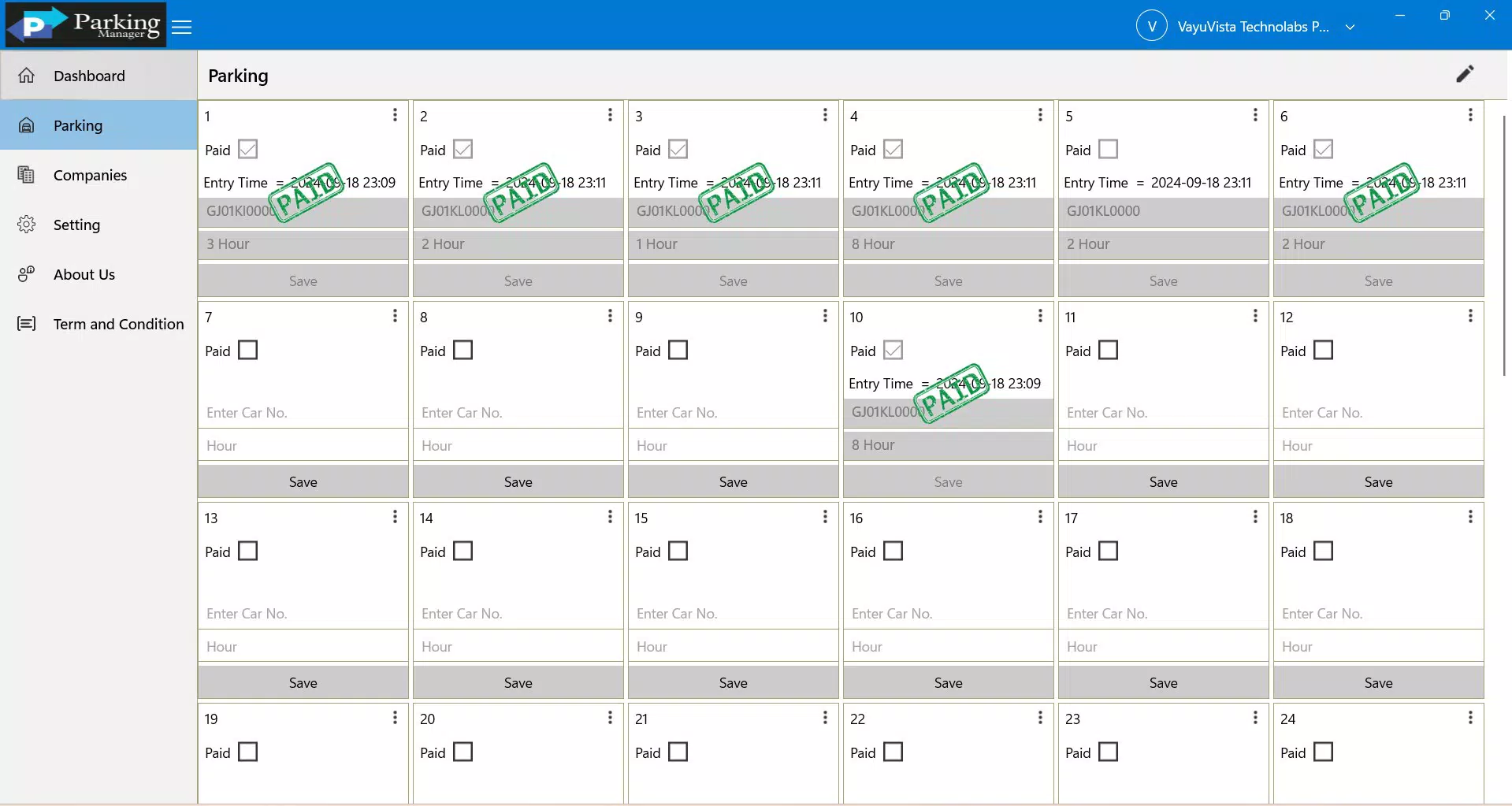
- Easy Data Entry: Users can quickly input vehicle details including license plate numbers, entry and exit times, and parking fees. This feature ensures accurate tracking of all vehicle movements, reducing the need for paper logs and minimizing discrepancies during reconciliation.
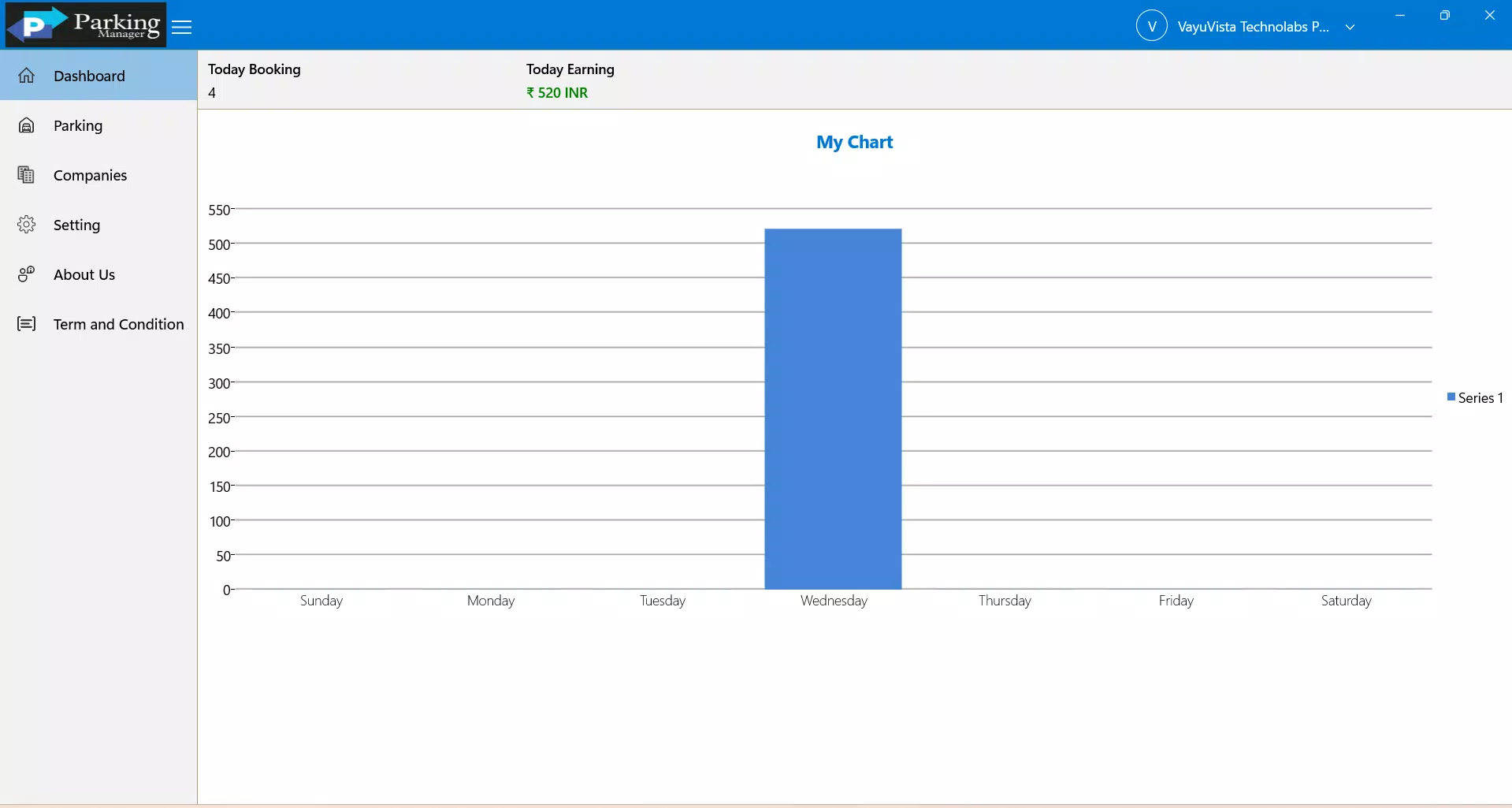
- Real-Time Dashboard: The app delivers a comprehensive overview of total earnings, available parking spaces, and current occupancy rates. Managers can assess business performance at a glance, supporting timely decisions such as adjusting pricing or deploying staff during high-demand periods.
- Detailed Earnings Reports: Access to daily, weekly, and monthly earnings summaries allows users to monitor performance trends over time. These reports help identify peak hours, seasonal fluctuations, and revenue patterns, enabling data-informed business strategies.
- Search Filter Functionality: A built-in search filter enables users to locate vehicles by license plate number. This feature improves operational efficiency, particularly when retrieving records for billing disputes, lost items, or security checks.
- User-Friendly Experience: The interface is designed for intuitive navigation, ensuring smooth data entry and minimal learning curve. This focus on usability supports staff training and reduces operational friction, especially in high-turnover environments like event parking.
For example, a parking attendant at a weekend music festival can use the app to log each vehicle’s entry and exit, generate instant receipts, and later retrieve records via license plate search. Similarly, a garage owner can review end-of-day earnings and occupancy trends through the dashboard, identifying underutilized spaces or pricing opportunities.
Interface, UX & Performance
The app features a clean, minimal interface with logical layout and clear visual hierarchy. Navigation is straightforward, allowing users to access core functions such as data entry, reporting, and search with minimal taps. The visual style prioritizes readability and functionality, using consistent icons and color coding to distinguish between active, occupied, and available spaces.
Although the developer did not list formal performance metrics, the app appears optimized for smooth operation on standard Android and iOS devices. Users can expect responsive interactions during data entry and quick load times for reports and dashboards. Stability is maintained across sessions, with no reported crashes or freezes in the current version.
Performance on older or lower-end devices may vary, but the app does not require high-end hardware to function. The absence of heavy animations or background processes suggests a lightweight design focused on core functionality. Overall, the user experience is consistent with professional-grade utility apps, balancing simplicity with practicality.
Platform Compatibility & Technical Requirements
Parking Management is available on both Android and iOS platforms. The app supports the latest versions of these operating systems, though specific minimum OS requirements were not listed by the developer. The current file size is 12.8 MB, indicating a lightweight installation that does not consume significant storage space.
Compatibility information was not fully disclosed. Users are advised to ensure their device meets the system requirements of their respective platform. The app’s small size suggests it is optimized for efficient use across a wide range of smartphones and tablets.
Pros and Cons
Pros
- Intuitive interface designed for quick adoption by staff with minimal training.
- Real-time dashboard provides immediate visibility into earnings and occupancy.
- Search filter enhances record retrieval speed and accuracy.
- Lightweight file size ensures fast installation and minimal storage impact.
- Supports essential functions for daily parking operations without unnecessary complexity.
Cons
- Developer did not provide details on cloud sync or data backup options.
- No information on multi-user access or role-based permissions.
- Specific OS version requirements were not listed.
- Advanced analytics or exportable report formats were not mentioned.
- Offline functionality details were not disclosed.
FAQ
Is Parking Management available for both Android and iOS?
Yes, the app is designed for both Android and iOS platforms, making it accessible to a broad range of users.
Can I use Parking Management without an internet connection?
The developer did not specify whether offline functionality is supported. Users should verify this based on their operational needs.
How secure is my parking data in the app?
While the app handles sensitive data such as license plate numbers and payment records, the developer did not provide details on encryption or data protection measures.
Does the app support multiple parking locations?
There is no information available on multi-location management. The app may be optimized for single-site operations.
How often is the app updated?
Updates are released as needed, but the developer did not disclose a fixed update schedule or version release frequency.
Final Thoughts
Parking Management delivers a focused, reliable solution for individuals and organizations managing parking operations. Its strengths lie in simplicity, real-time insights, and ease of use—key factors for users who need dependable tools without the overhead of complex systems. While certain advanced features like cloud backup and multi-user access are not confirmed, the app excels in core functionality.
It is ideal for small business owners, event coordinators, and parking attendants seeking a streamlined way to track vehicle movements and revenue. The combination of intuitive design, instant reporting, and efficient data handling makes it a valuable addition to any parking management toolkit.
Download Parking Management now


